CoverTune’s album cover generator helps indie artists, cover creators, and rappers turn a prompt or photo into 1:1 artwork for Spotify, Apple Music, and SoundCloud. Server generations use Nano Banana Pro or GPT Image 2.5 Sunburst (2K or 4K, no watermark) from 6 purchased credits ($0.06), with one-time packs from $4.99. Up to 3 sign-up gift credits do not apply here. Browser title overlays, Parental Advisory badges, and 3000×3000 sRGB exports are free.
How the album cover generator works
Four steps take you from a music style brief or artist photo to a 1:1 streaming release cover. Credits are only charged when you press Generate, and any failed, refused, or timed-out cover refunds its credits automatically.
- Pick a genre style or upload a photo
Select Hip-Hop, Indie Film, Synthwave, Dark Metal, or Lo-Fi, or choose Custom and write your own required visual brief. Optionally upload a 300–6,000 px JPG, PNG, or WebP photo (plus an optional style reference in Custom mode).
- Add optional title and artist fields
Type your album title and artist name if you want the model to integrate typography directly, or leave both blank for clean art and place crisp editable text in your browser afterward.
- Choose model and 2K or 4K resolution
Pick Nano Banana Pro (6–8 credits) for fast 1:1 covers or GPT Image 2.5 Sunburst (7–37 credits depending on photo count and resolution), confirm rights, and press Generate.
- Check 64px legibility and export 3000×3000
Once your 1:1 cover arrives, optionally add or adjust browser title text and a Parental Advisory badge, inspect the 64×64 Spotify thumbnail preview, and download the raw image or a 3000×3000 sRGB JPG or PNG at no extra credit cost.
Album cover examples and prompts by genre
Six square 1:1 album cover references spanning hip-hop, synthwave, editorial rap portraits, indie film, dark metal, and lo-fi beats, including two before-and-after photo transformations and starter prompt ideas you can adapt in Custom mode.
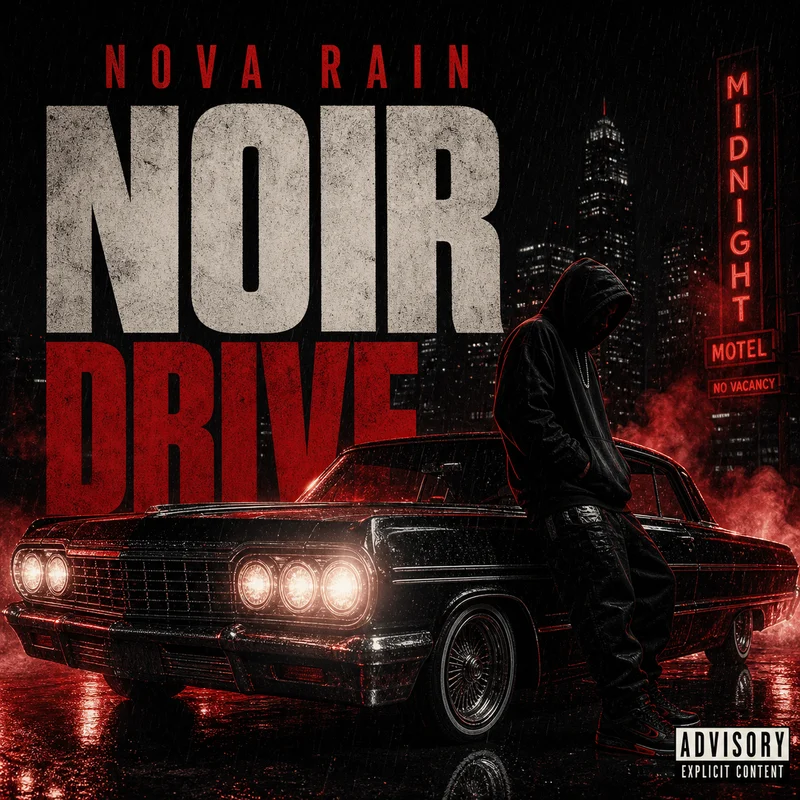
Hip-Hop / RapMidnight Street Noir Mixtape
Square 1:1 nocturnal rap cover combining rain-slick asphalt, warm headlights, red neon contrast, bold condensed lettering, and a bottom-right Parental Advisory badge.
Starter prompt: Gritty 1:1 hip-hop album cover, hooded figure leaning against a classic black lowrider on a rain-soaked city street at night, glowing red motel neon sign in fog, dramatic rim light, high-contrast film grain.
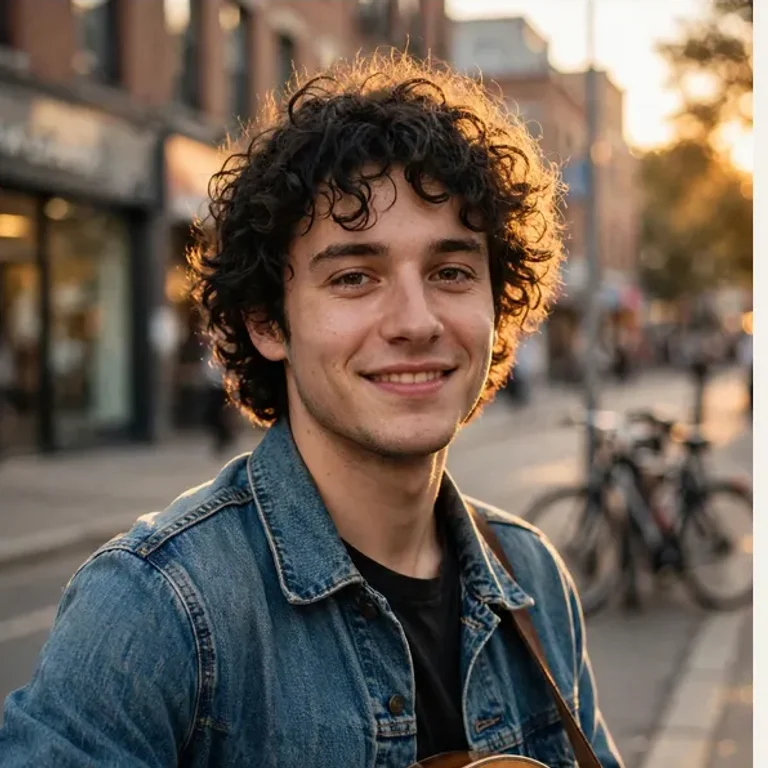
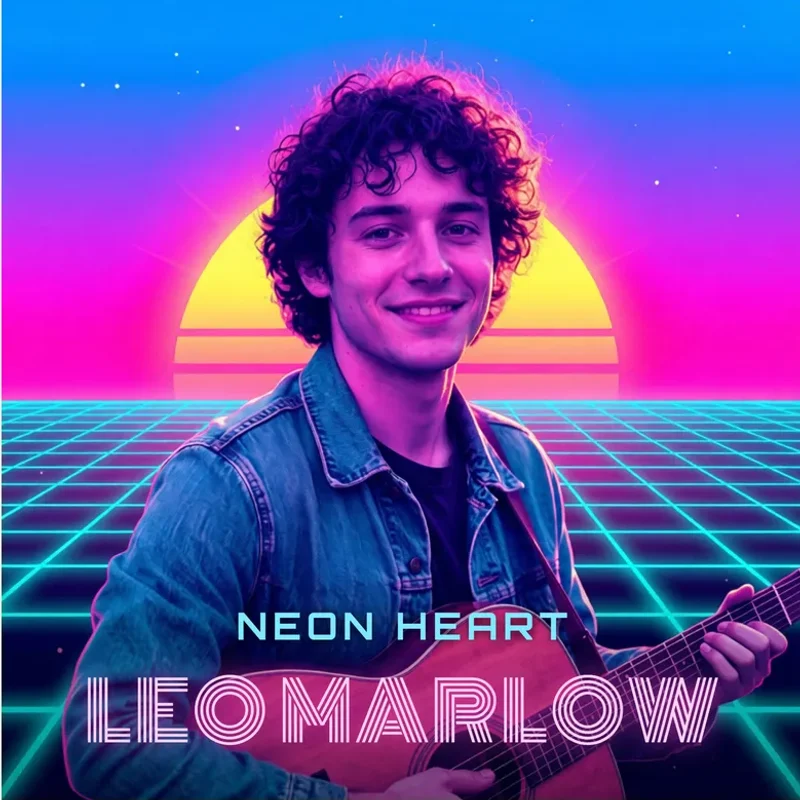
Photo → SynthwavePortrait to 80s Synthwave Cover
Before-and-after photo styling that keeps the subject’s curls, smile, denim jacket, and guitar while replacing the daylight street with a retro sunset grid and neon lighting.
Starter prompt: Turn this portrait into a 1:1 1980s synthwave album cover, preserve the subject’s facial features, curly hair, denim jacket, and acoustic guitar, place against a glowing yellow-magenta retro sun and cyan neon perspective grid.
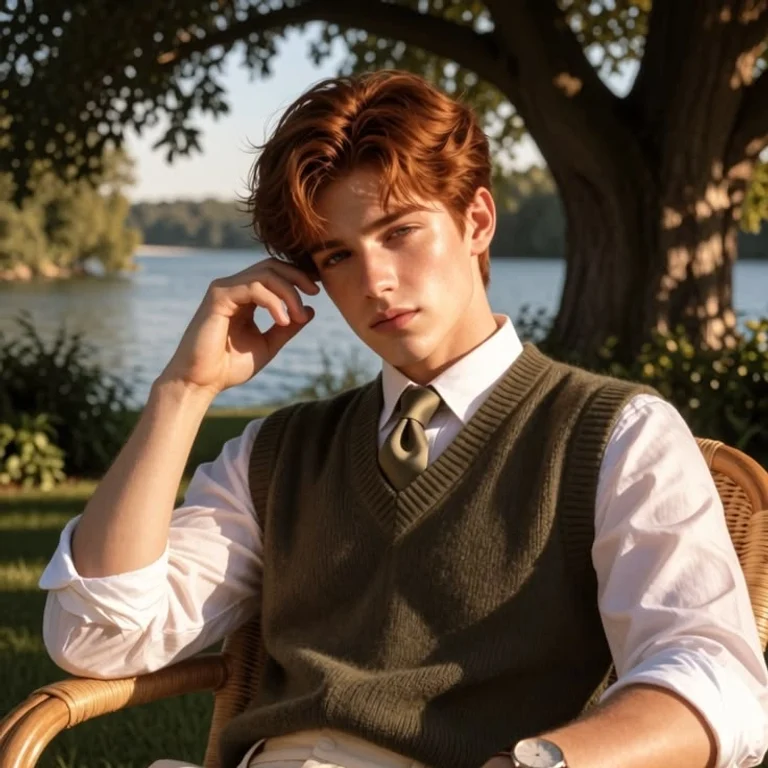
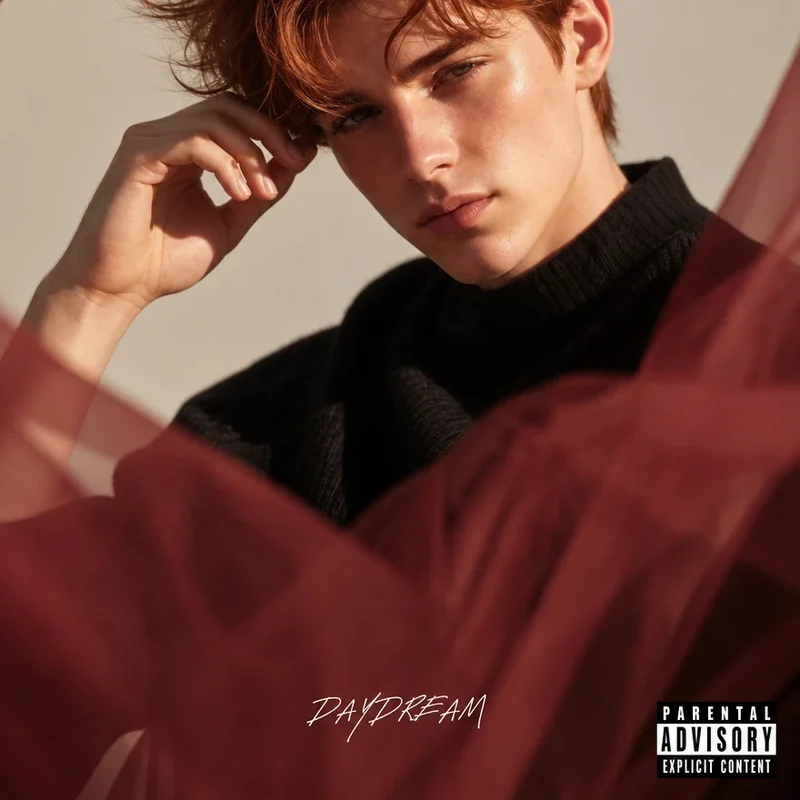
Photo → Parental AdvisoryPortrait to Editorial Rap Cover
Before-and-after portrait edit replacing an outdoor park backdrop with warm studio framing, translucent crimson foreground texture, script lettering, and a Parental Advisory badge.
Starter prompt: Restyle this portrait into a 1:1 editorial hip-hop single cover, preserve the subject’s face, red hair, and pose, replace background with warm minimalist studio shadow, add translucent deep red silk foreground accent.
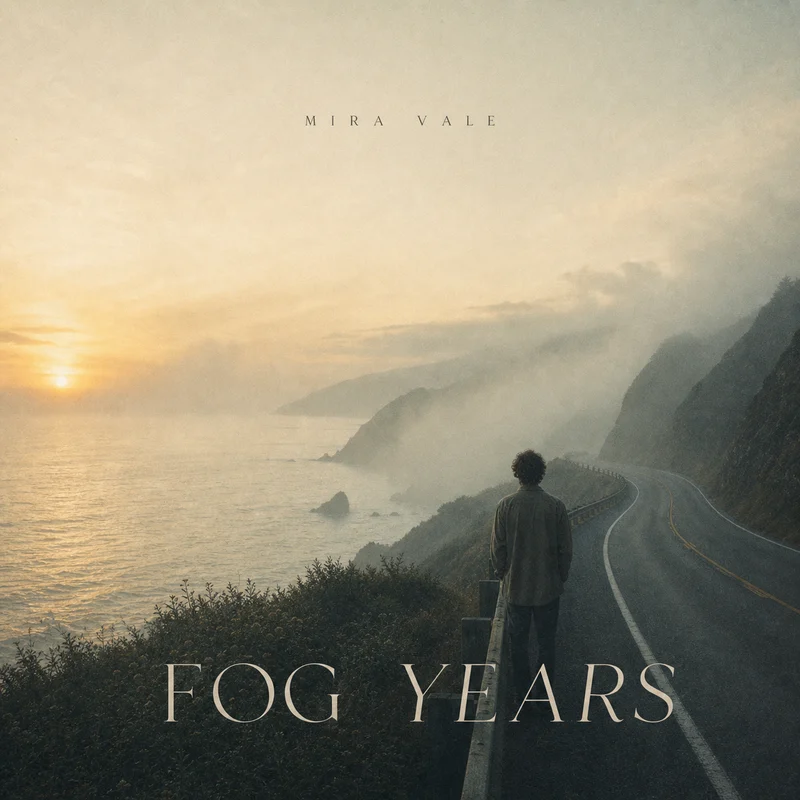
Indie / AcousticAnalog Coastal Indie Film
Muted 35mm film aesthetic with open misty sky at the top and clean dark foreground at the bottom so thin serif artist and album titles stay readable.
Starter prompt: Atmospheric 1:1 indie folk album cover, lone silhouette seen from behind looking over a misty ocean cliff highway at golden hour, soft 35mm analog film grain, muted ochre and slate palette, clean negative space for title.
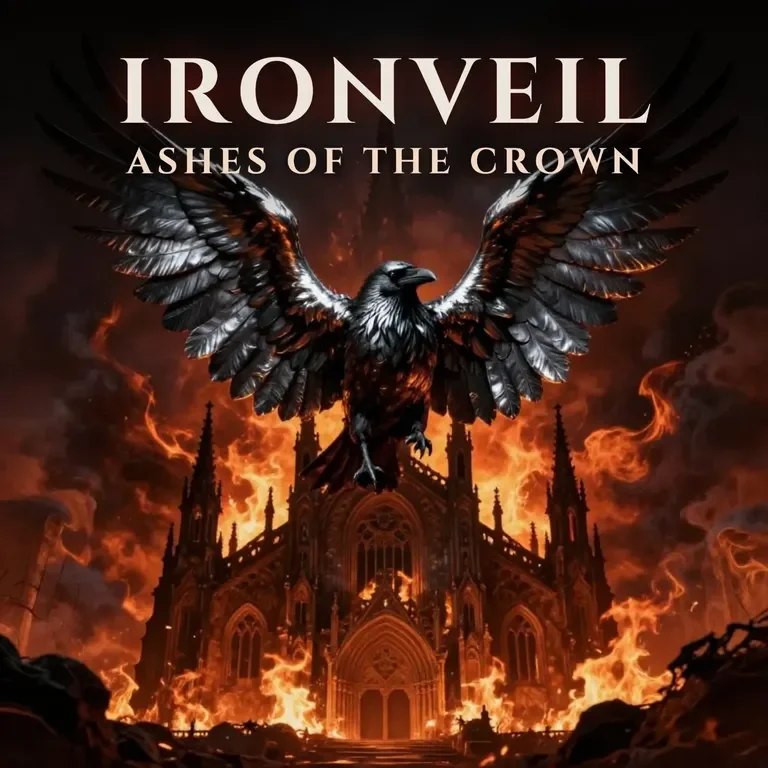
Dark Metal / RockGothic Ember Metal Artwork
Centered symmetrical metal composition with dark upper sky for crisp high-contrast white band typography and fiery cathedral spires below.
Starter prompt: Epic 1:1 dark metal album cover, giant metallic black raven spreading wings above a burning gothic cathedral in storm clouds and glowing embers, symmetrical composition, dramatic chiaroscuro lighting, clean dark top margin.
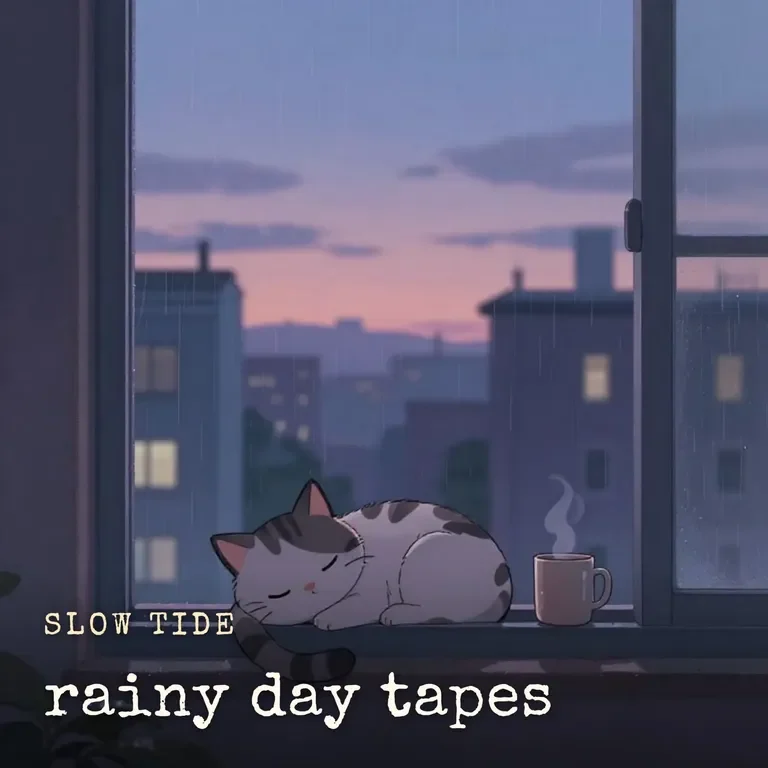
Lo-Fi / BeatsRainy Twilight Lo-Fi Illustration
Illustrated dusk cityscape seen through an apartment window with soft pastel gradients and a dark sill strip suited for typewriter or sans-serif track titles.
Starter prompt: Cozy 1:1 lo-fi hip-hop album cover illustration, sleeping tabby cat curled beside a steaming ceramic mug on an apartment windowsill overlooking lavender dusk city buildings, soft anime-inspired painterly shading, clean bottom margin.
Is there a free AI album cover generator without watermarks?
No — generating a new AI album cover on CoverTune is paid, starting at 6 purchased credits (about $0.06) for a 2K square cover and 8 credits ($0.08) at 4K, with no watermark on downloads. Up to 3 sign-up gift credits do not apply here. The smallest entry is the one-time $4.99 Starter pack (450 credits, enough for 75 default 2K covers, valid 365 days, no subscription). What is free here: browsing examples, adding editable title overlays or a Parental Advisory badge, checking 64×64 thumbnail legibility, and exporting 3000×3000 sRGB JPG or PNG in your browser. If you need a zero-cost AI cover generator without an account, Neural Frames (free no-login watermark-free square PNGs) and CreArt (daily free Auto credits with no sign-up) offer free tiers (checked 2026-11-27).
Disclosure: CoverTune is our own tool listed first below; competitor rows summarize publicly published terms on each provider’s website (checked 2026-11-27), with no affiliation.
| Tool | Free tier / no login | Paid entry | Watermark | Key output features |
|---|
| CoverTune (this site) | Examples & browser text/3000px export free; AI generation paid | $4.99 one-time (450 cr, 75 covers) | None | 2K/4K 1:1 text or photo covers, browser typography, Parental Advisory badge, 3000×3000 sRGB JPG/PNG |
|---|
| Neural Frames | Free daily covers, no login required | Paid video plans from $39/mo (site-wide) | None | Square PNG cover art, commercial use allowed |
|---|
| Album Art Creator | 5 free credits on sign-up | $4.99 one-time pack or $9/mo Pro | None | GPT Image 2.5, editable text overlay, 3000 & 4096 JPG/PNG downloads |
|---|
| CoverArtGenerator.ai | Paid credit packs (no free tier listed) | $2.99 one-time pack (10 credits) | None | HD square downloads, commercial license, no expiry |
|---|
Checked 2026-11-27.
How do you turn a photo into an album cover while keeping your face?
To turn a photo into an album cover with this album cover maker, upload a well-lit 300–6,000 px JPG, PNG, or WebP portrait (under 10 MB) in the form above, pick a genre preset or Custom brief, and generate at 2K or 4K. The server prompt asks the image model to keep the subject’s facial identity, hair, and proportions while changing the lighting, backdrop, and color grade; actual likeness preservation varies by model and photo quality.
- Start with a sharp, front- or three-quarter-facing solo portrait with even lighting rather than heavy sunglasses or motion blur.
- For classic hip-hop or mixtape styling, check "Include Parental Advisory badge" or toggle the crisp vector badge in the browser finishing studio after generation.
- Dedicated cover generators bundle square framing, genre prompts, and 3000×3000 export in one flow so you do not have to bounce between a general image generator and Canva just to fix margins or title readability.
What album cover size and format do Spotify and DistroKid require?
Spotify, Apple Music, and major distributors such as DistroKid expect a perfect 1:1 square image — ideally 3000×3000 pixels — saved as RGB JPG or PNG with no borders, watermarks, or store logos. Because most AI image models output 1K, 2K, or 4K bitmaps, CoverTune includes a free 3000×3000 sRGB JPG and PNG exporter right in the result panel so your file matches streaming artwork dimensions immediately.
- Keep any cover text identical to your distributor’s release title and artist metadata — mismatched text or website URLs are common causes of store rejection.
- Preview your finished art at 64×64 pixels before exporting: thin scripts or low-contrast colors often disappear inside mobile playlists.
- Only add a Parental Advisory label if it fits your release policy and distributor guidelines for explicit content.
Album cover maker pricing and credits
Generating an AI album cover costs 6 to 37 purchased credits ($0.06–$0.37 at the Pro credit rate) depending on model, 2K or 4K output, and uploaded photo count. Credits come in one-time packs valid for 365 days with no subscription, and browser text overlays and 3000×3000 exports cost 0 extra credits.
| Model | Input mode | Resolution (1:1) | Credits | Approx. cost |
|---|
| Nano Banana Pro | Text or photo (0–2 images) | 2K | 6 credits | $0.06 |
|---|
| Nano Banana Pro | Text or photo (0–2 images) | 4K | 8 credits | $0.08 |
|---|
| GPT Image 2.5 Sunburst | Text only | 2K | 7 credits | $0.07 |
|---|
| GPT Image 2.5 Sunburst | Text only | 4K | 10 credits | $0.10 |
|---|
| GPT Image 2.5 Sunburst | 1 photo | 2K | 20 credits | $0.20 |
|---|
| GPT Image 2.5 Sunburst | 1 photo | 4K | 24 credits | $0.24 |
|---|
| GPT Image 2.5 Sunburst | 2 photos (custom + style ref) | 2K | 33 credits | $0.33 |
|---|
| GPT Image 2.5 Sunburst | 2 photos (custom + style ref) | 4K | 37 credits | $0.37 |
|---|
| What you get | Detail |
|---|
| Cheapest credit pack | $4.99 one-time Starter (450 credits: 75 2K covers or 56 4K covers on Nano Banana Pro) |
|---|
| Free browser finishing | Title/artist overlay, Parental Advisory badge, 64×64 thumbnail check, 3000×3000 sRGB JPG/PNG export ($0) |
|---|
| Watermark | None on generated or exported covers |
|---|
| Failed, refused, or timed-out job | Credits refunded automatically |
|---|
| Upload limits | JPG, PNG, or WebP · 300–6,000 px · up to 10 MB per photo |
|---|
Compare all one-time credit packs on the pricing page.
What this album cover generator cannot do
This tool generates static 1:1 square artwork from text briefs and uploaded photos only. Because outputs are produced by generative image models, we cannot guarantee exact facial likeness on complex group shots or zero typos when asking the AI to bake text directly into the image — results vary by photo and model, so use the free browser text overlay whenever exact spelling matters. The tool does not listen to uploaded MP3 files, import Spotify or Suno links, create layered PSD files, or render animated Spotify Canvas videos. To pair your track and cover art into a reactive video, open our free Music Visualizer; to create the song itself, try the AI song cover generator or AI music composer.